

Tesla Ceramic NFC Ring | Unlock Your Tesla Without Your Phone
Unlock Your Tesla with a Wave of Your Hand
Phone flat? Left it on the charger? Hands full of groceries? No problem.
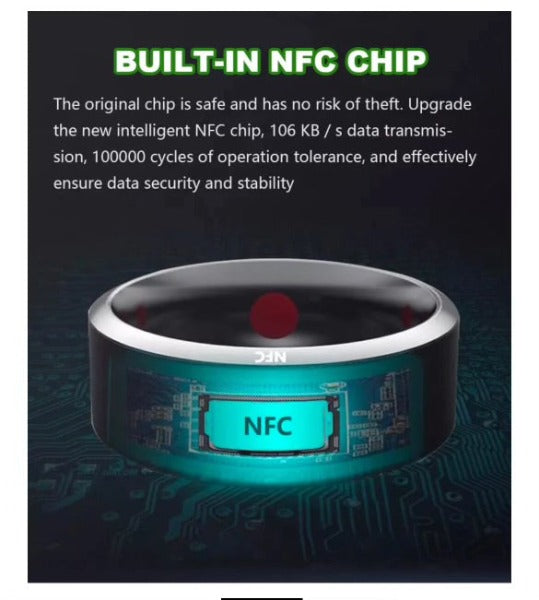
This premium ceramic NFC ring pairs directly with your Tesla just like a key card, letting you unlock and access your vehicle with a simple tap of your knuckle to the B-pillar. No phone, no card, no fumbling — just a natural, effortless gesture that feels like something from the future.
It's also one of the most unique and thoughtful gifts you can buy for a Tesla owner. Practical, premium, and unlike anything else on the market.
Compatibility
- All Tesla models that support NFC key card access
- Tesla Model 3 (all variants including Highland)
- Tesla Model Y (all variants including Juniper)
- Tesla Model S and Model X
Key Features
- Same Security as Tesla Key Card – Paired directly through Tesla's key management system
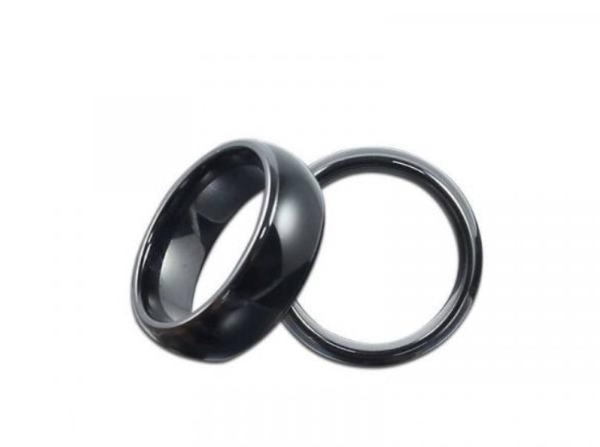
- Premium Ceramic Construction – Durable, scratch-resistant, looks great on any finger
- No Battery Required – Passive NFC technology; never needs charging or replacing
- Updated Antenna Design – Reliable reads in multiple orientations
- Available in Multiple Sizes – Sizes 9–12 available
How to Use
Find the NFC sensor on the B-pillar (under the driver-side camera). Touch your knuckle to the B-pillar in a knocking motion — do not press the ring face directly to the car. The door will unlock instantly.
How to Set Up
- On your Tesla touchscreen, tap the car icon (bottom right)
- Press the Lock menu
- Tap the "+" icon next to Keys
- Hold the ring over the centre console NFC reader
- When prompted, place your original key card on the reader to authorise pairing
- Wait for the pairing process to complete — your ring is now a Tesla key
The Perfect Tesla Gift — Pair It With These
- Tesla LED Ambient Light Kit — App-controlled RGB LED interior lighting — another unique upgrade that transforms the cabin
- Tesla Swivel Screen Mount — Tilt your screen toward you for easier access — a must-have for RHD Australian drivers
- Tesla Armrest Protector — Keep the most-touched surface in your Tesla looking new
- My Tesla Accessories Gift Card — Not sure exactly which accessories they want? Let them choose
How to Measure Your Ring Size
Wrap a piece of thread around the finger you plan to wear the ring on. Mark where it meets, then lay flat against a ruler to get your circumference in millimetres. When in doubt, size up — fingers can swell in warm weather.
Australian Stock – Fast Dispatch
Held in local Australian stock and dispatched within 1–2 business days. Full local after-sales support.
Frequently Asked Questions
Can I pick up my order?
Yes — free pickup is available for Brisbane and SE Queensland customers from our Brendale warehouse by appointment. It's important to message us on 0422 063 024 to arrange a time, as we're not always at the warehouse.
Is it as secure as the Tesla key card?
Yes. Paired through Tesla's own key management system with exactly the same security level as the official Tesla key card.
Does it need charging?
No. Passive NFC technology — never needs charging or any maintenance.
Which Tesla models does it work with?
All Tesla models that support NFC key card access, including Model 3, Model Y, Model S, and Model X.
How many NFC rings can I pair to my Tesla?
Tesla allows multiple keys to be paired, so you can pair a ring for each driver alongside your phone key and key card.
Is fast delivery available in Australia?
Yes. We hold local Australian stock for fast dispatch, typically within 1–2 business days.